
RTL8188CUS
Introduction
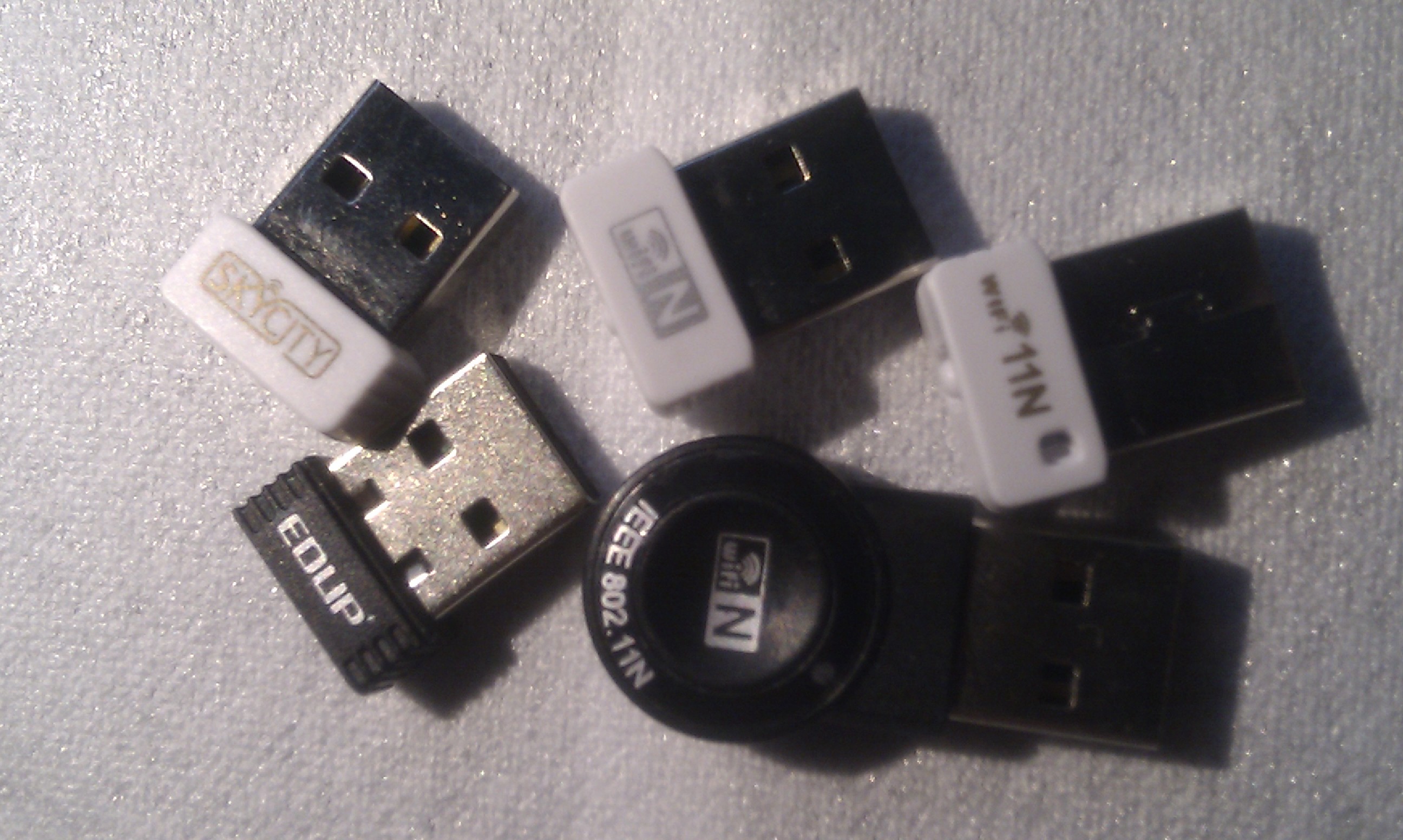
My idea was to use multiple 802.11b/g units to build a cheap WiFi stumbler using Kismet without the need of hopping channels. If you do not hop you can scan more bands and capture more useful output useful for projects like wireless heatmapping.
I went for the RTL8188CUS (Realtek Wireless Chipset, 802.11b/g) because of the cheap pricing.
The Realtek RTL8188CUS comes in many shapes and forms as show on the right. They include labels like:
- WiFi 11N
- EDUP
- IEEE 802.11N
- WiFi N
Comparison
Pro
- The Linux driver is found at Realtek Website
- Unit is cheap: DX sells them for less than 5 EUR.
Cons
- The driver does not handle multiple cards at the same time.
- No driver support for BSD derivatives.
- Kismet does not seems to support this devices.
- The 802.11N description is properly not valid, nor the driver neither the specifications report this functionality.
- Parts of the drivers are closed source.
- No DataSheet available.
Conclusion
- The units are (currently) not usable for the Wireless Heatmap Multiple Cards project.
Appendix
lsusb -vvv
rvdzwet@bunty:~$ sudo lsusb -s 1:15 -vvv

Bus 001 Device 015: ID 0bda:8176 Realtek Semiconductor Corp.
Device Descriptor:
  bLength                18
  bDescriptorType         1
  bcdUSB               2.00
  bDeviceClass            0 (Defined at Interface level)
  bDeviceSubClass         0
  bDeviceProtocol         0
  bMaxPacketSize0        64
  idVendor           0x0bda Realtek Semiconductor Corp.
  idProduct          0x8176
  bcdDevice            2.00
  iManufacturer           1 Realtek
  iProduct                2 802.11n WLAN Adapter
  iSerial                 3 00e04c000001
  bNumConfigurations      1
  Configuration Descriptor:
    bLength                 9
    bDescriptorType         2
    wTotalLength           46
    bNumInterfaces          1
    bConfigurationValue     1
    iConfiguration          0
    bmAttributes         0x80
      (Bus Powered)
    MaxPower              500mA
    Interface Descriptor:
      bLength                 9
      bDescriptorType         4
      bInterfaceNumber        0
      bAlternateSetting       0
      bNumEndpoints           4
      bInterfaceClass       255 Vendor Specific Class
      bInterfaceSubClass    255 Vendor Specific Subclass
      bInterfaceProtocol    255 Vendor Specific Protocol
      iInterface              0
      Endpoint Descriptor:
        bLength                 7
        bDescriptorType         5
        bEndpointAddress     0x81  EP 1 IN
        bmAttributes            2
          Transfer Type            Bulk
          Synch Type               None
          Usage Type               Data
        wMaxPacketSize     0x0200  1x 512 bytes
        bInterval               0
      Endpoint Descriptor:
        bLength                 7
        bDescriptorType         5
        bEndpointAddress     0x02  EP 2 OUT
        bmAttributes            2
          Transfer Type            Bulk
          Synch Type               None
          Usage Type               Data
        wMaxPacketSize     0x0200  1x 512 bytes
        bInterval               0
      Endpoint Descriptor:
        bLength                 7
        bDescriptorType         5
        bEndpointAddress     0x03  EP 3 OUT
        bmAttributes            2
          Transfer Type            Bulk
          Synch Type               None
          Usage Type               Data
        wMaxPacketSize     0x0200  1x 512 bytes
        bInterval               0
      Endpoint Descriptor:
        bLength                 7
        bDescriptorType         5
        bEndpointAddress     0x84  EP 4 IN
        bmAttributes            3
          Transfer Type            Interrupt
          Synch Type               None
          Usage Type               Data
        wMaxPacketSize     0x0040  1x 64 bytes
        bInterval               1
Device Qualifier (for other device speed):
  bLength                10
  bDescriptorType         6
  bcdUSB               2.00
  bDeviceClass            0 (Defined at Interface level)
  bDeviceSubClass         0
  bDeviceProtocol         0
  bMaxPacketSize0        64
  bNumConfigurations      1
Device Status:     0x0000
  (Bus Powered)
Attachments
- RTL8188CUS-devices.jpg (697 kB)
Download as: plain text