| Version 3 (modified by , 6 months ago) ( diff ) |
|---|
The Problem
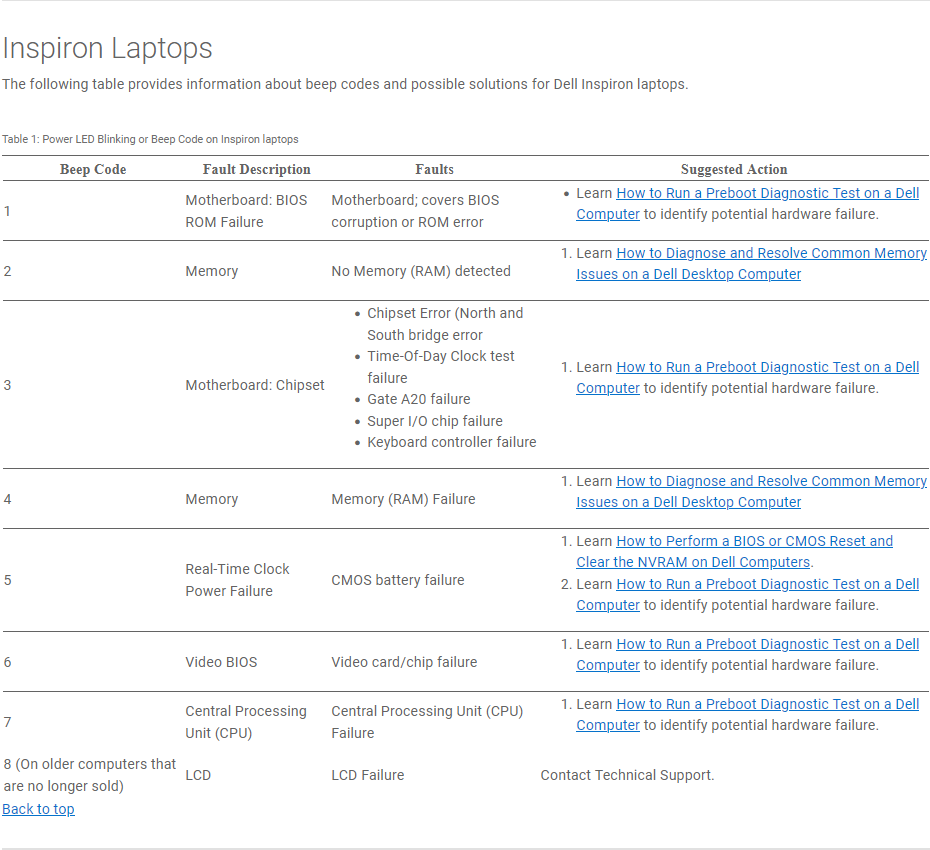
I have got a Dell Inspiron 17 3721 laptop which does not turn-on anymore. Only a single beep error code, nothing on the screen. Beep code 1 means: "Motherboard: BIOS ROM Failure".

The Idea
A corrupt BIOS ROM, how-to repair? The BIOS chips are SPI based EEPROMs of type SOIC8, which are most likely became corrupted somehow. Looking around at bios-fix.com there are two chips which needs to be flashed.
Digging through my pile of hardware a have a buspirate v3 which I could use to re-program the BIOS chips.
- I need to be able to access the chips. The Owner manual is a good source for opening the laptop.
- De-soldering the BIOS.
- A SOIC8 test clip is required with good quality cables. The guide at dangerousprototypes.com will help me make one.
- Flashrom software on Windows using MSYS2, using build from source guide at flashrom.org.
- I need up2date firmware on the buspirate to program the chip, using:
- Next I need to flash the chips, using a little inspiration from:
The Implementation
BIOS ROM images
First challenge find the BIOS ROMs which I could flash on the chips. I have tried to extract them from the official BIOS download page Dell Inspiron 3721 System BIOS - A14, 3721A14.exe how-ever I was not able to extract the required files. I found at older version at halabtech.com - Dell Inspiron 17 3721 A12 Bios Files.zip which I will use and later update to the A14 version.
Get both BIOS chips
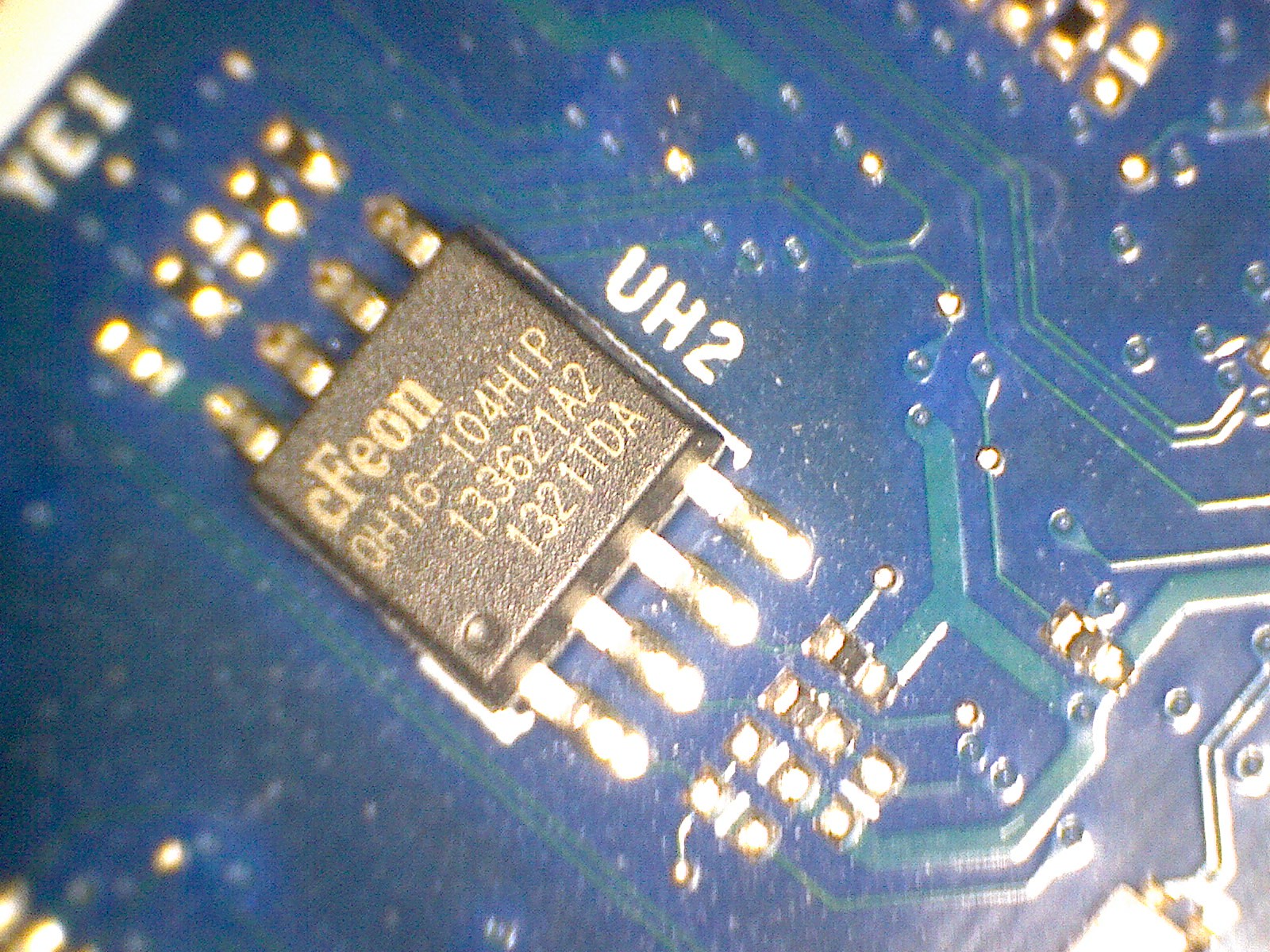
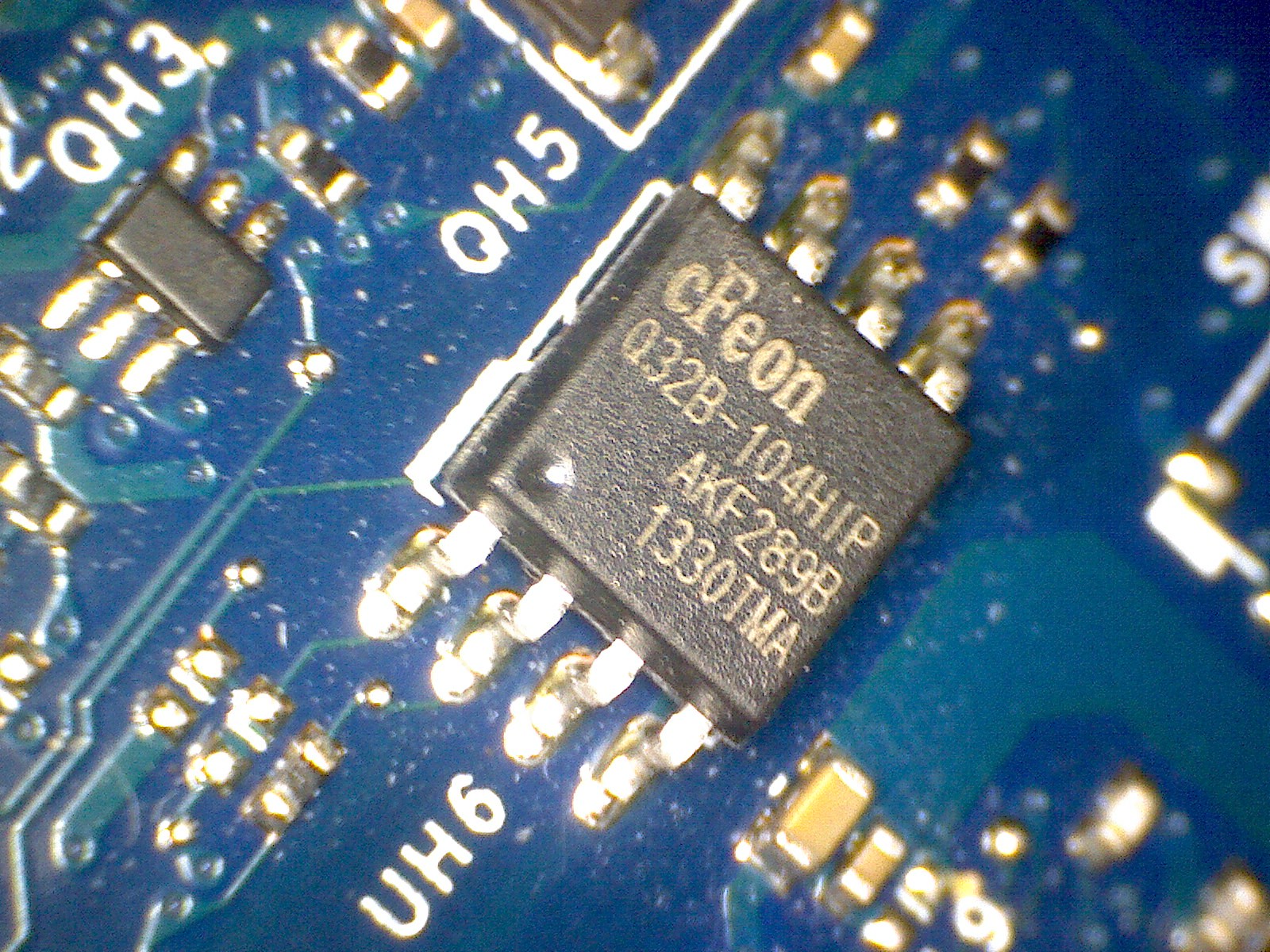
Dis-assemble laptop using Owner Manual and de-solder BIOS chips located at UH2 (EN25QH16) and UH6 (EN25Q32B).

Compiling flashrom for Windows
 # Install using https://www.msys2.org and load the UCRT64 environment https://www.msys2.org/docs/environments/
 $ pacman -Syu
 $ pacman -Sy mingw-w64-ucrt-x86_64-gcc mingw-w64-ucrt-x86_64-meson mingw-w64-ucrt-x86_64-ninja mingw-w64-ucrt-x86_64-pkg-config mingw-w64-ucrt-x86_64-python-sphinx mingw-w64-ucrt-x86_64-cmocka mingw-w64-ucrt-x86_64-libusb mingw-w64-ucrt-x86_64-libftdi mingw-w64-ucrt-x86_64-libjaylink
 $ pacman -S base-devel binutils git pactoys cc libusb meson pkg-config
 # <restart MSYS2>
 $ git clone https://github.com/flashrom/flashrom.git
   10  git clone https://github.com/flashrom/flashrom.git
   11  cd flashrom/
   13  meson setup builddir
   14  meson compile -C builddir
Updating BusPirate
 $ git clone https://github.com/therealdreg/buzzpirat.git
 $ cd buzzpirat/bin
 # Ensure jumper between PGD and PGC before powering-on BusPirate
 $ ./buzzloader/pirate-loader.exe --dev=COM4 --hex=./oldfirm/BPv3-bootloader-upgrade-v4xtov4.5_Sep-2020_USBEprom.hex --verbose
 # 'Error updating firmware :(' is expected and 'normal' behaviour.
 $ ./buzzloader/pirate-loader.exe --dev=COM4 --hex=./stablefirm/bpv3comp/BPCOMPBZ-firmware-v7.1.12.hex
 # 'Error updating firmware :(' is expected and 'normal' behaviour.

 # FYI: plink.exe is part of Putty CLI, download at https://www.chiark.greenend.org.uk/~sgtatham/putty/latest.html
 $ plink.exe -serial COM4 -sercfg 115200,8,2,1,n
 # Press 'i' + 'Enter' to check for new firmware version
Flashing de-soldered chips
 # In MYS2 UCRT64 environment
 $ cd flashrom

 # Connect EN25QH16 chip to SOIC8 test-clip
 $ ./builddir/flashrom.exe --programmer buspirate_spi:dev=COM4 -w 2MB\ \ EC\ \ .BIN --progress

 # Connect  EN25Q32 chip to SOIC8 test-clip
 $ ./builddir/flashrom.exe --programmer buspirate_spi:dev=COM4 -w 4MB\ BIOS.BIN --progress
The Result
After re-assembly and soldering both UH2 and UH6 back in place, the laptop booted with 5 error codes, some progress ;-). After replacing the CMOS battery and fixing the terminals (both needed some bending back in place). I give it some more reboots and voila it was working again :-).
Another laptop saved from the junkyard and some interesting stuff learned during the process.
Attachments (9)
- dell_inspirion_beep_codes.png (133.3 KB ) - added by 6 months ago.
- UH2.jpg (654.3 KB ) - added by 6 months ago.
- UH6.jpg (644.9 KB ) - added by 6 months ago.
- EN25QH16.PDF (1.1 MB ) - added by 6 months ago.
- EN25Q32B 32Mbit SPI Flash.pdf (1.1 MB ) - added by 6 months ago.
- 3721A14.exe (4.6 MB ) - added by 6 months ago.
- 2MB EC .BIN (2.0 MB ) - added by 6 months ago.
- 4MB BIOS.BIN (4.0 MB ) - added by 6 months ago.
- all-products_esuprt_laptop_esuprt_inspiron_laptop_inspiron-17-3721_owner's manual_en-us.pdf (3.7 MB ) - added by 6 months ago.